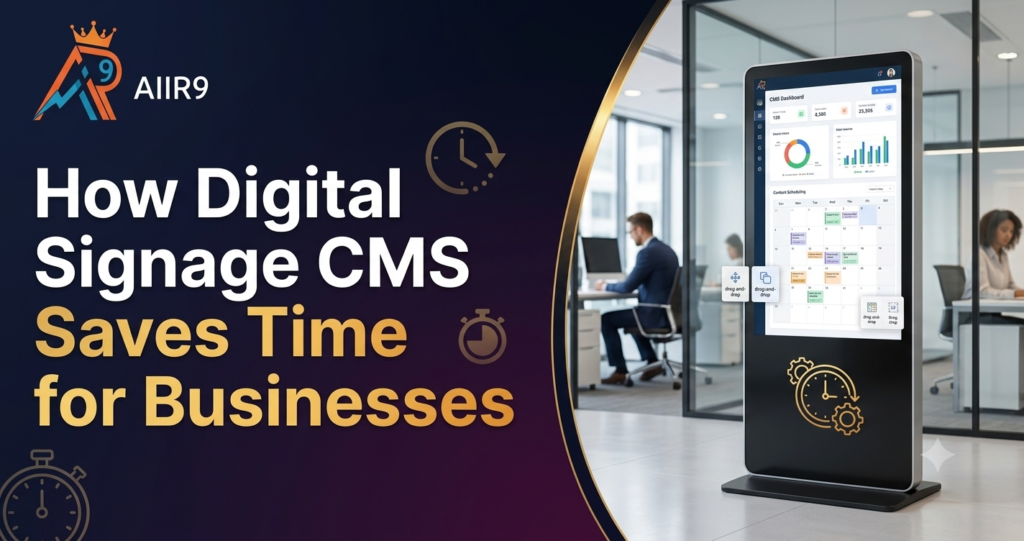
Ask any business owner what eats up their day, and screen updates rarely make the list until you count the minutes. A price change or a festive greeting on a display sounds like a small job. It stops feeling small once someone has to walk over, plug in a device, and swap the file by hand, and it happens on more than one screen.
That is the problem a Digital Signage CMS is built to solve. It takes content that used to require a physical visit and puts it under one system you can run from a desk. For businesses based in Sonipat and operating across Delhi NCR, where getting from one outlet to another already takes time out of the day, that difference shows up quickly in how much gets done before evening.
Save Time with Remote Content Management
Screens should not depend on someone standing in front of them to change what they show. That is the starting point of any Digital Signage CMS worth using.
Manage Multiple Screens Remotely
Digital signage remote control lets you push a change from your desk and have it appear on the display within moments, whether that screen sits at your main outlet or a branch further away. On days when NCR traffic slows everything down, this alone can save a meaningful part of the afternoon.
Update Different Locations from One Dashboard
Running several addresses used to mean logging into separate systems or visiting each site to check on things. A centralised dashboard puts every screen in view at once. Digital signage screen management becomes something you finish while seated, not something you schedule around travel.
Faster Content Updates with CMS
Getting a change made quickly matters as much as being able to make it remotely. A Digital Signage CMS should shorten the distance between an idea and a live screen.
Schedule Content in Advance
Digital signage content scheduling means your promotions, greetings, or time-based offers can be set up well ahead of when they need to appear. Once scheduled, the system handles the rest on its own. You are not opening the dashboard every morning just to check whether yesterday’s content is still running.
Make Instant Screen Updates
Some changes cannot wait for a schedule. A sudden shift during Delhi’s monsoon season might call for an update to store hours or a quick note for customers walking past. A Digital Signage CMS lets that update go live within minutes of being made, without anyone needing to be anywhere near the screen itself.
Simplify Multi-Location Management
Screens spread across several sites bring a different kind of pressure. Consistency becomes harder to maintain the moment updates are handled one location at a time.
- When one screen gets the update but another one gets missed, you can end up with mismatched pricing or offers that are already out of date- an inconsistency customers tend to notice fast.
- A multi-screen digital signage setup keeps every display linked to the same source, so nothing falls out of sync.
Reduce Manual Work
Once your screens are connected to a single system, an update is sent to every linked display. The repeated effort that comes with running more than one outlet drops considerably, since nobody is repeating the same task at different locations.
Avoid On-Site Content Updates
There is no reason to send someone across the city with a USB drive just to change what a screen displays. Reviewing, editing, and publishing content can all happen from wherever your team already works, regardless of how far the actual screen sits.
Improve Time Management with Digital Signage CMS
Time management often comes down to identifying which tasks genuinely need a person and which ones do not.
Streamline Daily Content Tasks
A well-built Digital Signage CMS brings uploading, scheduling, and publishing into a single workflow instead of scattering them across separate tools. Content gets created once and left to run without requiring repeated attention.
Spend Less Time Managing Screens
With every display sitting under one system, checking on them stops being a location-by-location exercise. A single view of what is running, and where, replaces the need to call or visit someone on-site to check.
What a Time-Saving Digital Signage CMS Actually Looks Like
Not every platform delivers the same results, so it helps to know what actually reduces daily effort before choosing one.
| What to Look For | Why It Matters |
| Centralised dashboard | Runs every screen from one place, not several |
| Remote publishing | Removes the need for a site visit |
| Digital signage content scheduling | Cuts down on repetitive daily updates |
| Real-time screen status | Confirms displays are working without checking in person |
| Split-screen zones | Displays more than one type of content at once |
| Support for video, images, and interactive media | Keeps content varied without switching platforms |
A CMS that brings all of this together shifts digital signage screen management from something that competes for your attention daily into something that simply runs in the background.
Built to Work Across Different Businesses
A retail counter, a hospital reception, and a school notice board all need different things from a screen, and a good CMS adapts rather than forcing a single template on everyone.
- Retail outlets can push pricing changes and offers across every branch at the same time.
- Corporate offices can share internal updates and visitor information as things change.
- Healthcare facilities can push updates to visitor-facing information across every screen at once, instead of manually editing each one.
- Educational institutions can post notices and schedules without printing or replacing physical boards.
The underlying system does not change from one industry to the next. What changes is the content running through it, which is part of why setting up a Digital Signage CMS properly from the start matters so much.
Save Time Every Day with Archana Enterprises
Digital signage was meant to make communication simpler, not add a task to your day. A Digital Signage CMS built around remote access, advanced scheduling, and multi-screen digital signage management gives that time back.
Archana Enterprises, through its AIIR9 brand, designs its CMS solutions to work in step with its own signage hardware, so setup stays straightforward from the first screen to the last. From digital signage remote control to content scheduling and centralised screen management, the platform is built to fit how your business actually runs.
If your screens are still being updated one by one, it is worth asking how much of your week that habit is quietly taking up. Get in touch with Archana Enterprises and see what a properly managed Digital Signage CMS can do for your business.